1. Log in to your Litmos account as an Account Owner or Administrator.
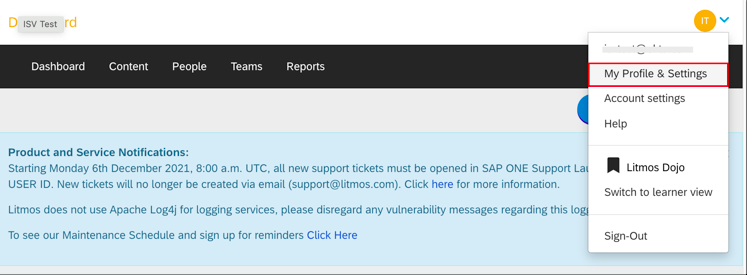
2. Select My Profile & Settings from your Profile menu in the top right:
3. Scroll down and make a copy of your API key. You'll need this later to setup Litmos application in Amplifier.

4. OPTIONAL: If you are preparing for your installation call with Amplifier, they will do this step for you. You can skip on to step 5.
In Amplifier, got to Integrations & Policies and click + ADD NEW to get a list of integrations. Find Litmos under the Security Training section click on it. You should then have an ADD INTEGRATION button on the bottom.
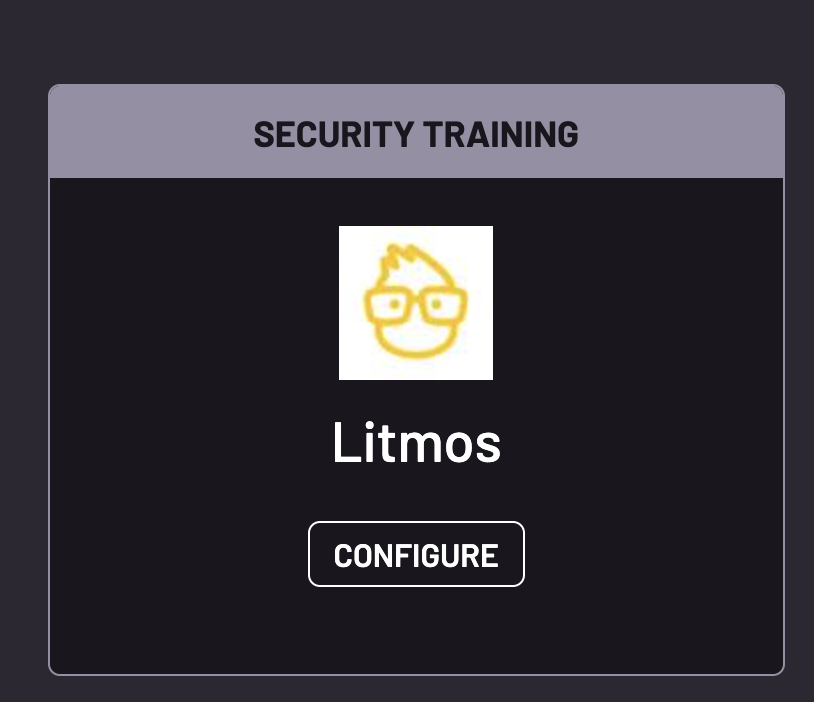
5. You should now have a Litmos Tile listed in your integrations. Click CONFIGURE.
6. Navigate to the Installation Setting tab on this page, enter the API key saved from above and click Save.
Was this article helpful?
That’s Great!
Thank you for your feedback
Sorry! We couldn't be helpful
Thank you for your feedback
Feedback sent
We appreciate your effort and will try to fix the article